Software Review
HubSpot Review for Small Agencies and Local Lead Generation
HubSpot is one of the most polished CRM-first customer platforms for small businesses and growing teams. It brings contacts, companies, deals, forms, meetings, email, live chat, reporting, sales, marketing, service, content, data, and AI tools into one connected system. For small agencies, freelancers, consultants, and local marketers, the real question is not whether HubSpot is capable. It clearly is. The real question is whether HubSpot fits the way you actually capture leads, follow up, book appointments, manage clients, and control software costs as your workflow grows.
This HubSpot review is based on public product research, official HubSpot pricing pages, official HubSpot product documentation, HubSpot affiliate program information, third-party editorial reviews, and verified user review platforms. Pricing, features, limits, seats, credits, marketing contacts, add-ons, onboarding fees, and plan details can change, so always check HubSpot's official pages before buying.
Logo shown for product identification only. Lead Stack Guide is not owned by or officially endorsed by HubSpot.
Review Summary
HubSpot is best for freelancers, consultants, small businesses, and growing teams that want a polished CRM foundation with contact records, company records, deals, tasks, forms, meeting links, email tools, live chat, reporting, integrations, and room to expand into sales, marketing, service, content, data, and AI features. It is less ideal for small local lead generation agencies that mainly need simple funnels, calendars, SMS/email follow-up, client sub-accounts, reputation tools, and repeatable local campaign workflows in one agency-focused system.
Is HubSpot Right for You?
- You want a polished CRM that can organize contacts, companies, deals, tasks, meetings, notes, and activity history
- You need lead capture, forms, live chat, meeting links, email tools, and pipeline tracking connected to one customer database
- You only need a simple contact list, booking link, or basic visual sales pipeline
- You want agency-style client sub-accounts for managing multiple local business clients
What HubSpot does
HubSpot is a CRM and customer platform designed to connect customer data with sales, marketing, service, content, data, reporting, automation, and AI tools. At the CRM level, it helps teams store contacts and companies, track deals, log activity, schedule meetings, capture leads, and understand communication history.
A simple local marketing workflow might look like this: a visitor fills out a HubSpot form, becomes a contact, books a meeting, receives follow-up emails, and moves through a deal pipeline. The value is that the lead source, contact record, meeting, activity history, and sales pipeline can all stay connected.
As the business grows, HubSpot can expand into deeper marketing campaigns, sales automation, service workflows, content tools, data management, reporting, and AI-assisted work. This is where HubSpot becomes more powerful than a simple CRM.
The tradeoff is that HubSpot is not built only for local lead generation agencies. It is a broader CRM-first customer platform. That is a strength for teams that want a long-term operating system around customer data, but it may be more platform than needed for agencies that mainly sell appointment funnels and follow-up systems to local clients.
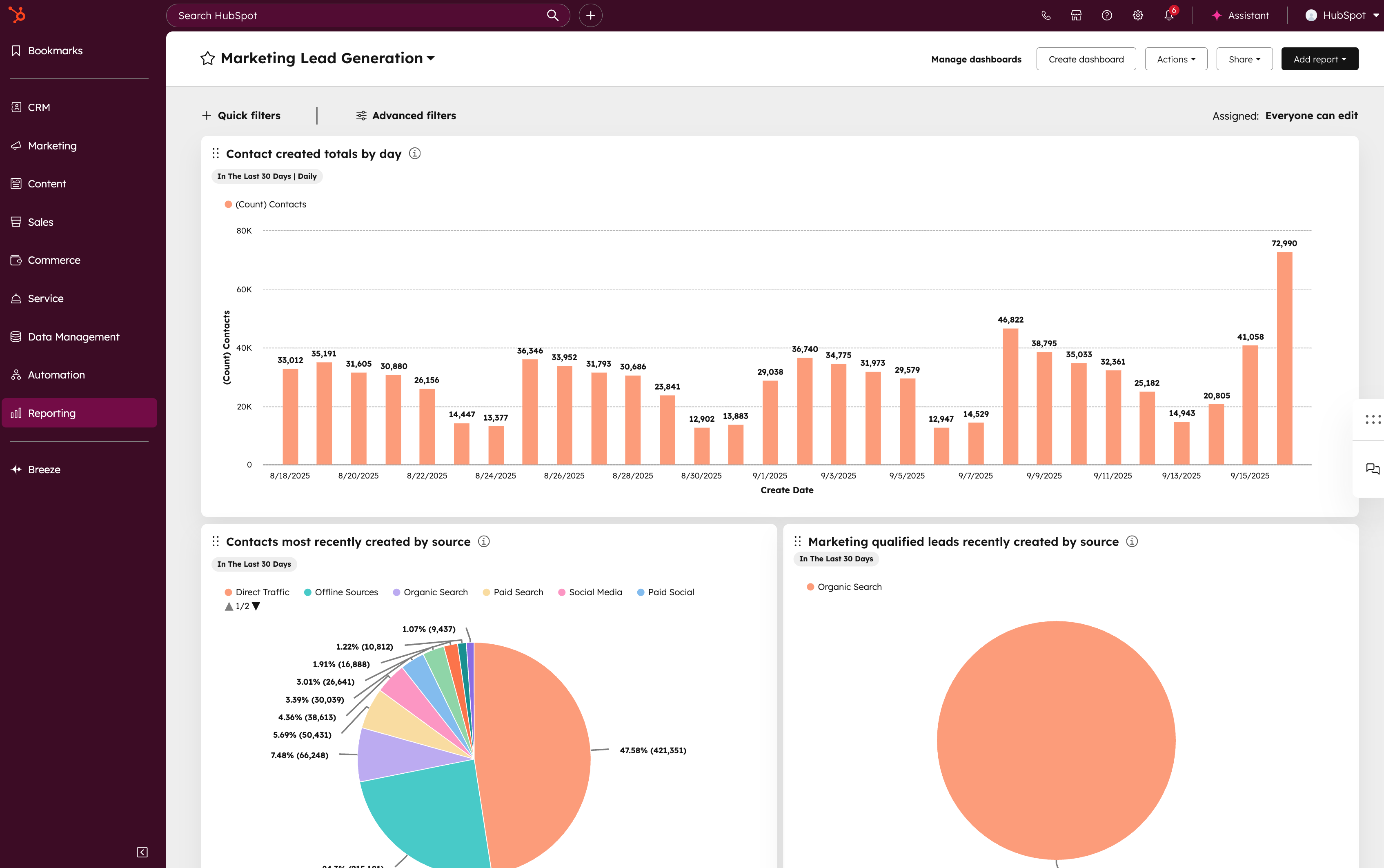
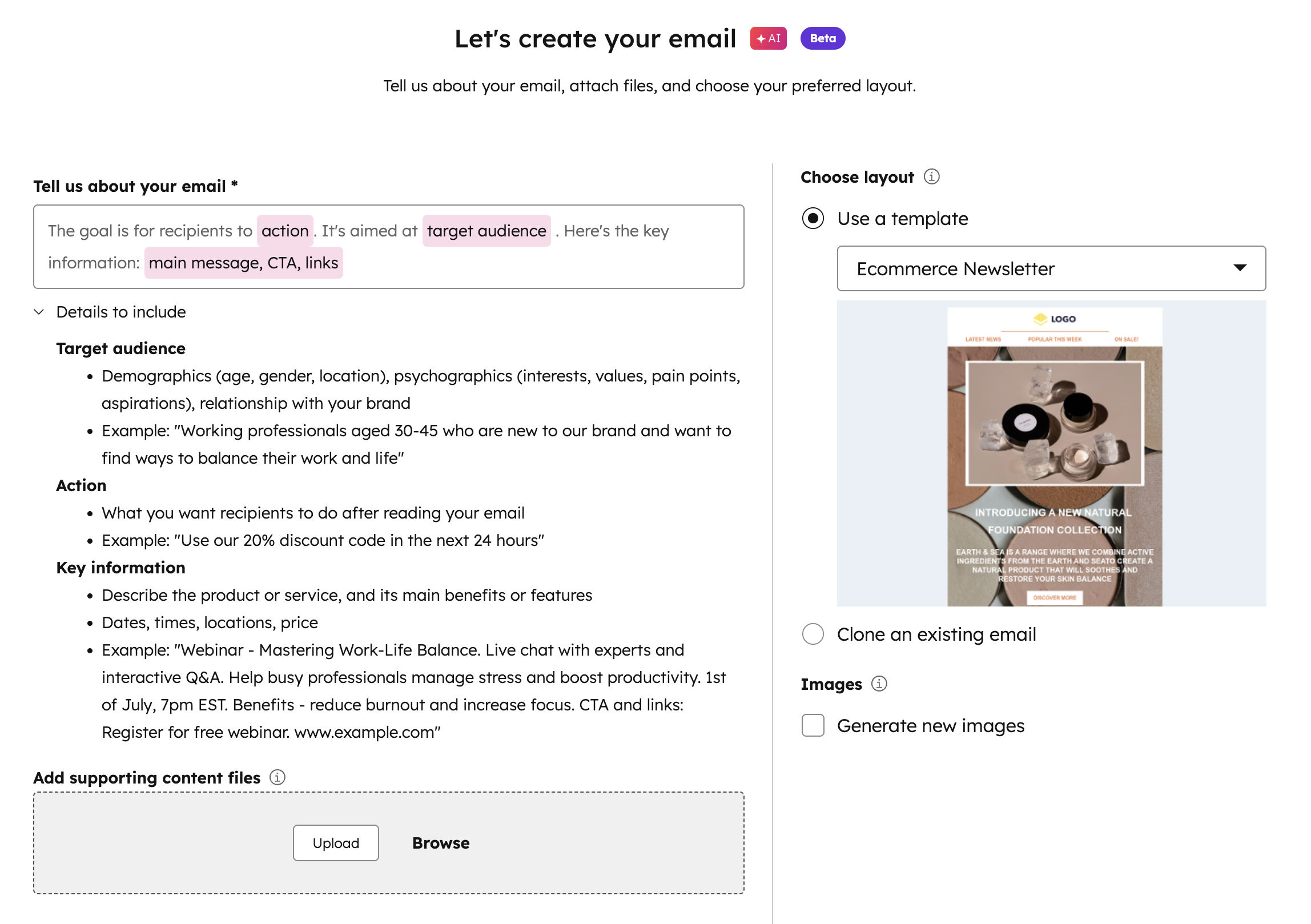
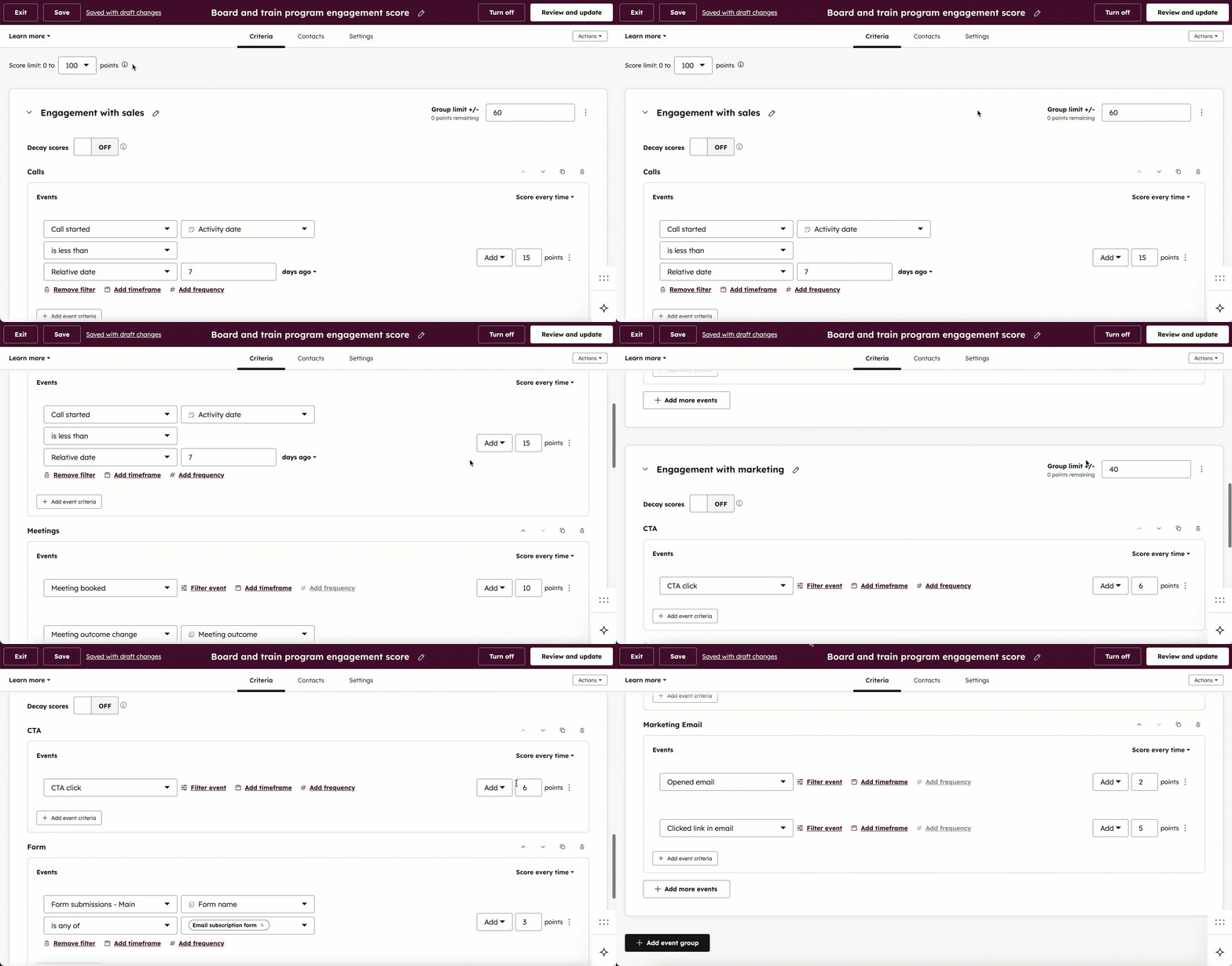
A look inside HubSpot
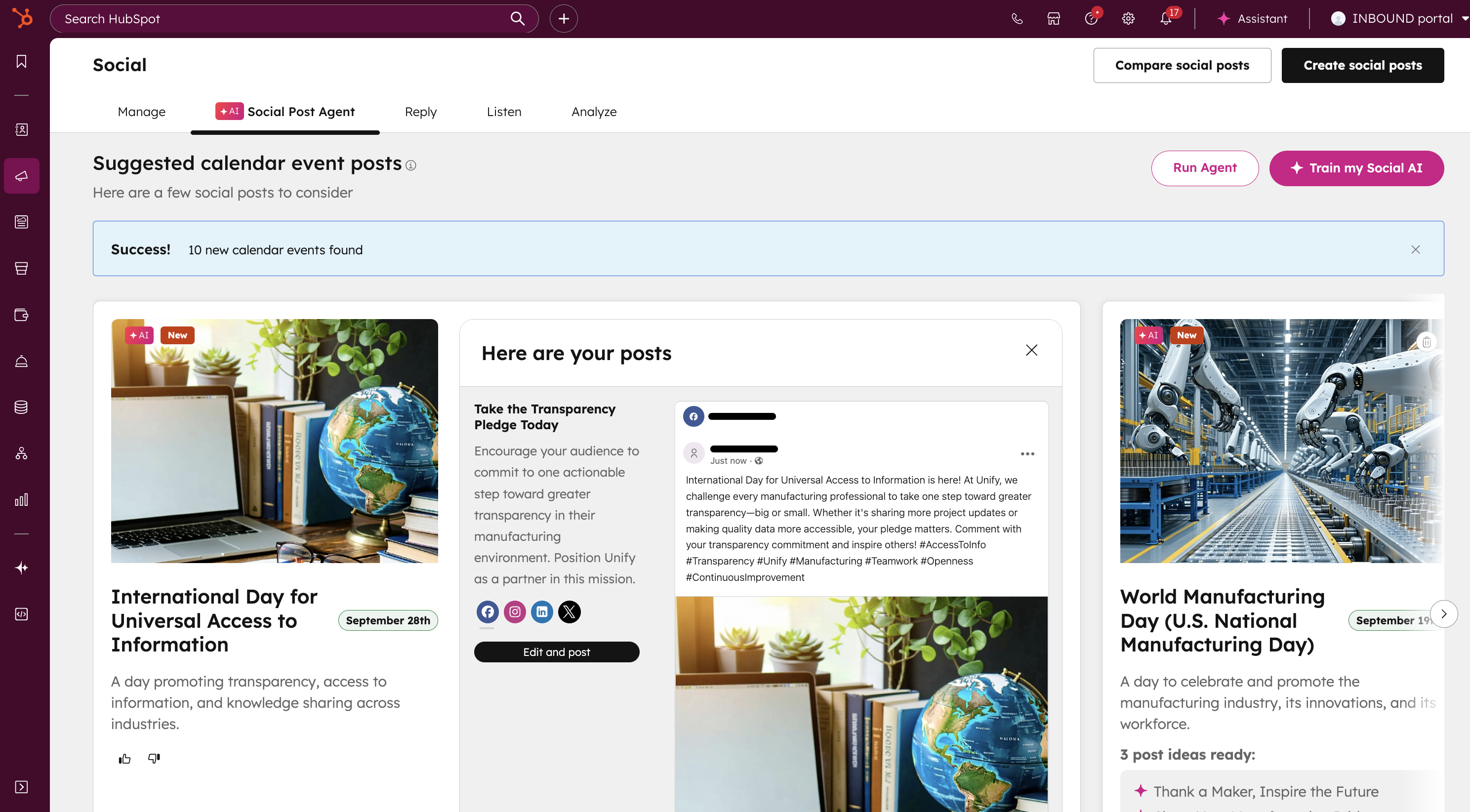
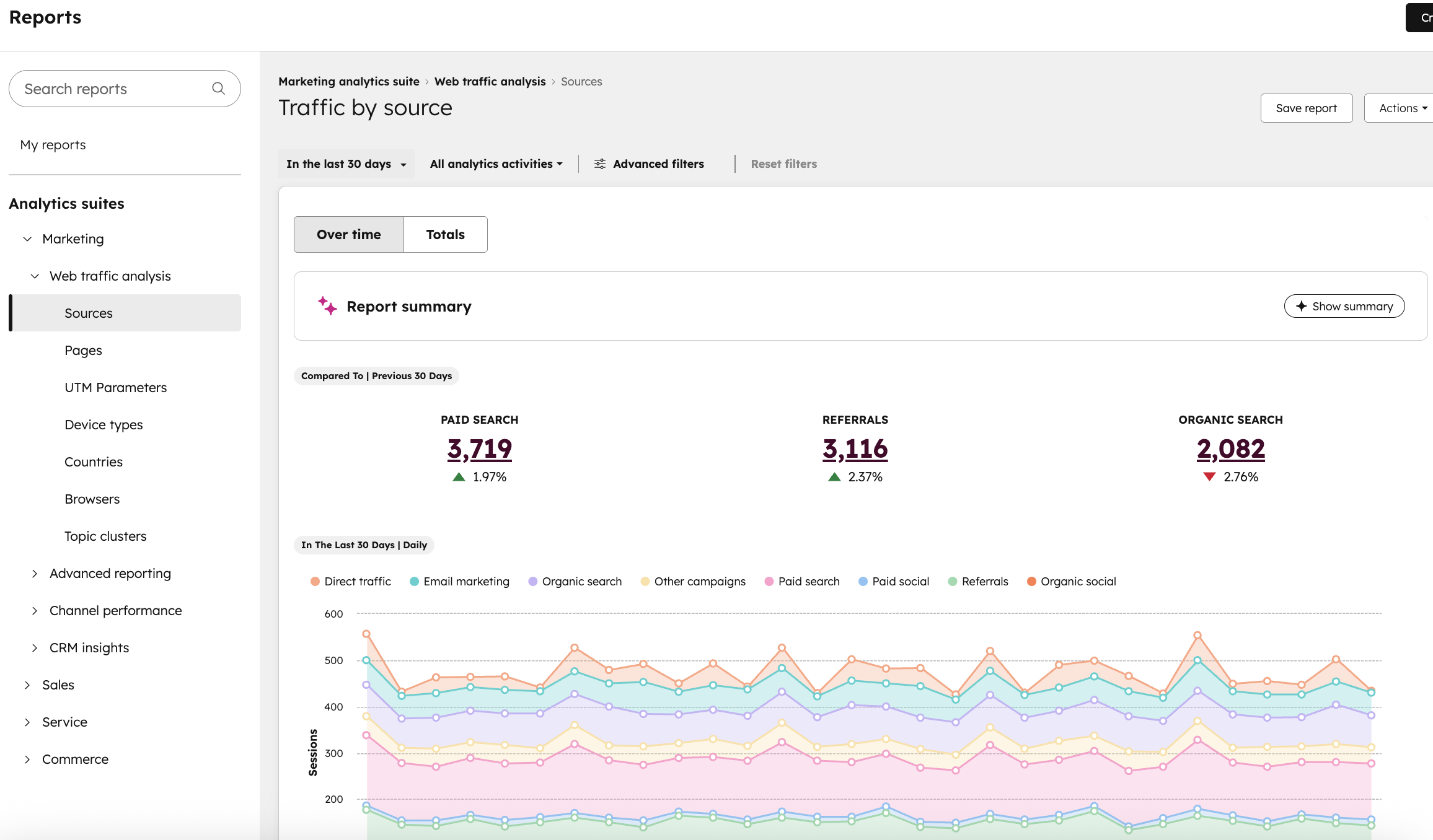
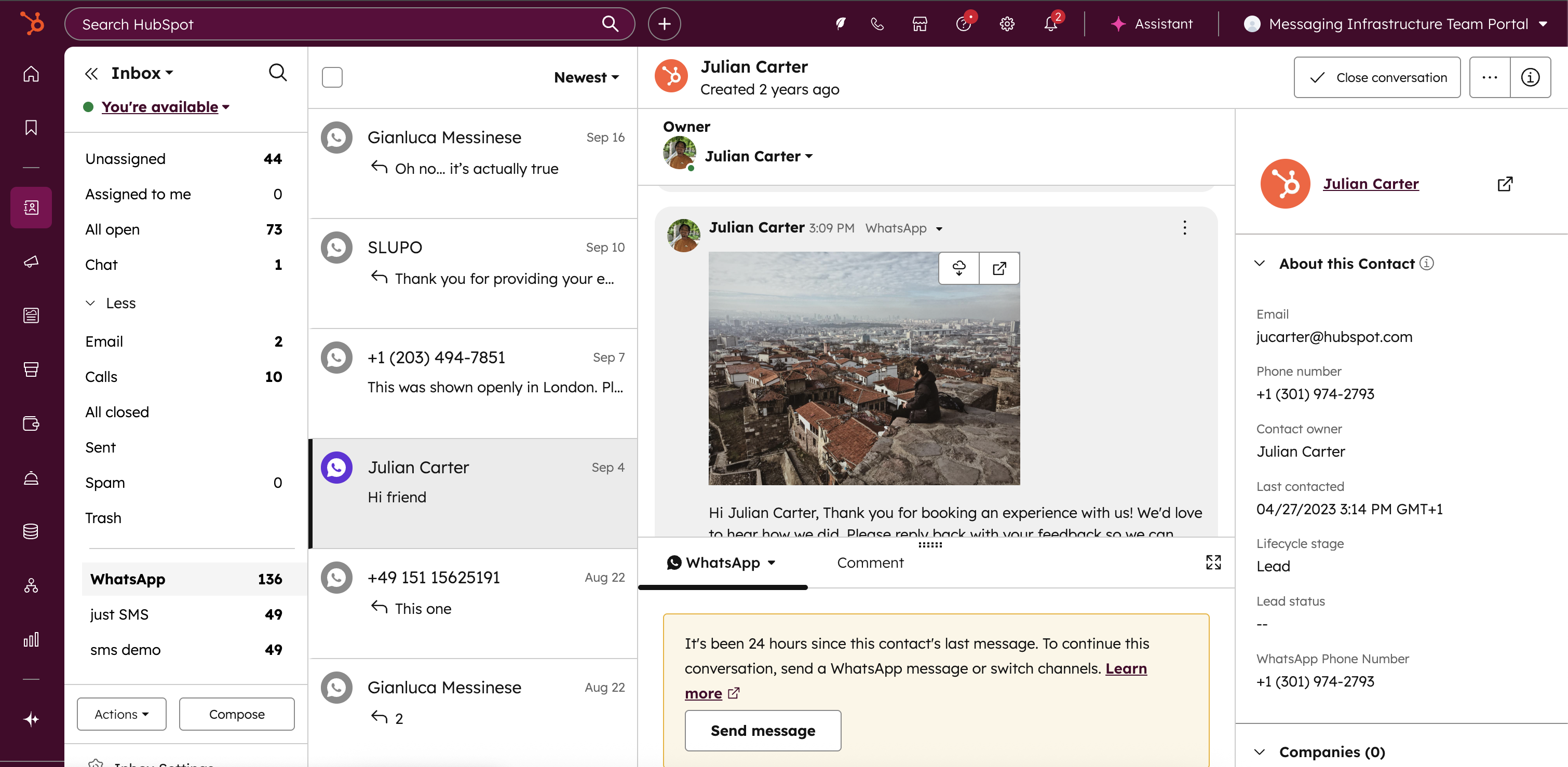
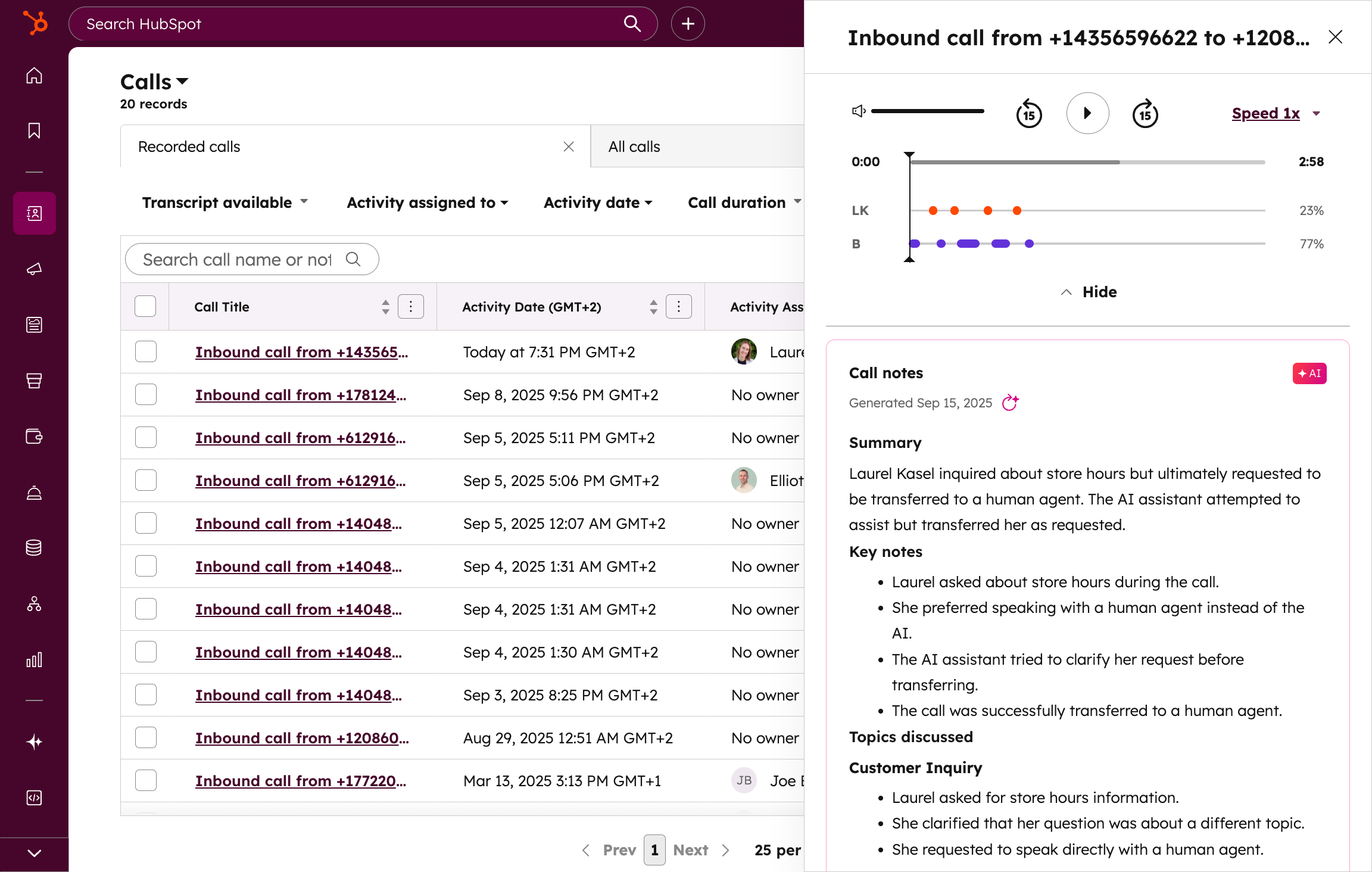
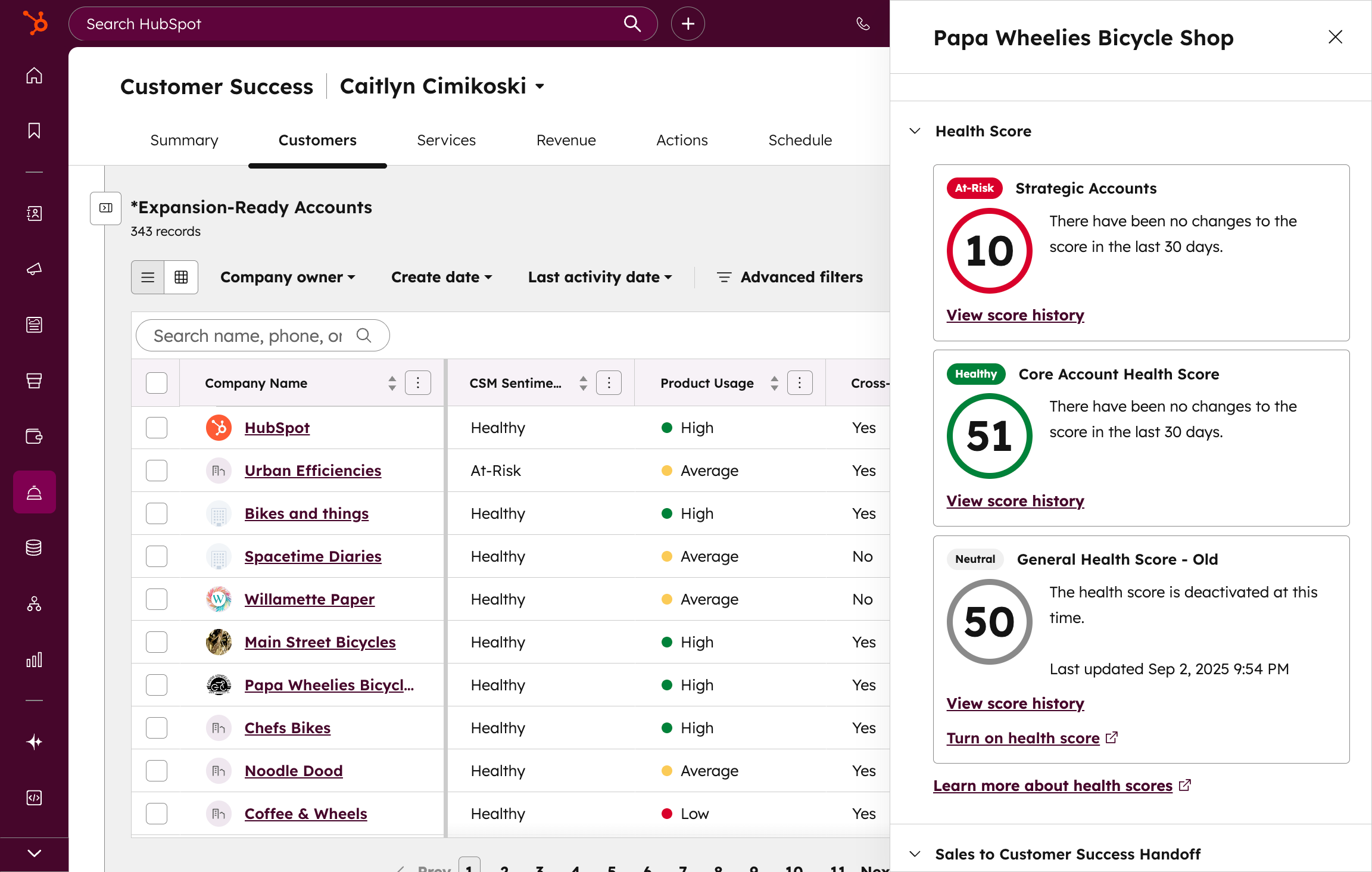
Pricing and value
Pricing snapshot
Pricing last checked: July 2026HubSpot pricing can vary by hub, seat type, billing term, marketing contacts, credits, add-ons, and onboarding requirements. HubSpot pages may show promotional pricing beside standard pricing, so always check the official pricing pages and calculate the real cost for your users, contacts, hubs, credits, and required onboarding before buying.
HubSpot can start free, which is a real advantage for freelancers, consultants, small businesses, and early-stage teams that want to organize contacts, track deals, log activity, schedule meetings, capture leads, and test basic CRM workflows before paying. HubSpot currently describes its free CRM as free for up to 2 users with 1,000 contacts and no expiration date, but limits can change, so verify the current details before building your workflow around the free tier.
For paid entry-level use, HubSpot's Starter pricing needs careful reading. HubSpot may show a discounted Starter price beside a higher standard monthly price. The actual cost depends on the hub, billing term, seat count, included credits, marketing contact limits, and features you need. Starter can be a useful bridge between free tools and a more serious CRM setup, but it should not be treated as the full HubSpot experience.
The bigger pricing issue appears when you move into Professional and Enterprise tiers. Many of HubSpot's more powerful automation, reporting, marketing, AI, and operations features are tied to higher plans. Some higher tiers also involve required onboarding fees, included and additional seats, marketing contact tiers, HubSpot Credits, add-ons, and billing commitments.
For small agencies and local lead generation businesses, the practical question is not simply whether HubSpot is affordable on day one. The better question is whether HubSpot will still make sense after you add the features you actually need. If your workflow depends on CRM quality, contact history, sales visibility, reporting, and a long-term growth path, HubSpot can justify the cost. If you mainly need landing pages, calendars, SMS/email follow-up, and client campaign management, a more agency-focused platform may be easier to justify.
Which HubSpot plan should you choose?
The right HubSpot plan depends on whether you need a free CRM starting point, a paid Starter bundle, or more advanced sales, marketing, service, content, data, reporting, and automation features. Pricing and limits change, so check HubSpot's official pricing pages before buying.
| Plan | Best for | Main thing to watch |
|---|---|---|
| Free Tools | Freelancers, consultants, and very small teams that want basic CRM structure before paying. | Free limits apply. Confirm current user, contact, branding, reporting, automation, and feature limits before relying on it for your full workflow. |
| Starter | Small teams that want a paid entry point for essential marketing, sales, service, content, and data management tools. | Promotional pricing may change. Check the billing term, seat count, included products, credits, and feature limits before buying. |
| Professional / Enterprise hubs | Growing teams that need deeper automation, reporting, segmentation, sales, marketing, service, content, or data capabilities. | Costs can rise materially because higher tiers may involve hubs, seats, contacts, credits, add-ons, and onboarding requirements. |
Pros and cons
Pros
- Polished CRM experience for contacts, companies, deals, tasks, meetings, notes, and activity tracking
- Free CRM tools make it possible to start before paying
- Strong fit for teams that want sales, marketing, service, reporting, and customer data connected
- Large ecosystem, integrations, documentation, Academy resources, and community support
- Can grow from a simple CRM into a broader customer platform
- Strong long-term fit for businesses that want customer data, reporting, and operations in one system
Cons
- Pricing can become complex as seats, hubs, marketing contacts, credits, add-ons, onboarding, and advanced features grow
- Not designed specifically around agency sub-accounts and local lead generation client workflows
- Advanced automation, reporting, segmentation, AI, and marketing features often require higher paid tiers
- May be more platform than needed for a simple local lead capture, booking, and follow-up workflow
- Teams need to understand the pricing model before upgrading beyond free or Starter tools
- Setup can become messy if contacts, lifecycle stages, lists, pipelines, and automations are not planned carefully
Recommendation
Lead Stack Score: 4.1 / 5. HubSpot is worth considering if you want a polished CRM-first customer platform that can grow with your business across sales, marketing, service, content, data, reporting, automation, integrations, and AI.
Lead Stack Score breakdown
This is our editorial score based on Lead Stack Guide’s software evaluation criteria.
Setup difficulty
HubSpot is usually easy to start at the basic CRM level. A small team can create contacts, companies, deals, tasks, forms, meeting links, live chat, and simple email workflows without needing an enterprise implementation.
The difficulty increases as soon as the business adds multiple hubs, paid seats, marketing contact lists, lifecycle stages, automations, dashboards, permissions, credits, and integrations. HubSpot can stay clean if the CRM structure is planned well, but it can also become cluttered or expensive if a team keeps adding features without a clear sales and follow-up process.
For small agencies, the setup challenge is not only technical. It is strategic. HubSpot asks you to think like a CRM operator. HighLevel-style agency tools often ask you to think in terms of funnels, calendars, clients, campaigns, and follow-up workflows. That difference matters when deciding which platform is easier for your business model.
Key features
CRM and pipeline management
- Contact and company records
- Deal and pipeline tracking
- Tasks, notes, meetings, calls, and activity history
- Useful for teams that want a clean customer database and visible sales process
Lead capture and booking
- Forms for lead capture
- Meeting scheduling links
- Live chat and chatbot options
- Landing page and website tools depending on hub and tier
- Helpful for turning website visitors into contacts, conversations, and meetings
Sales, marketing, and follow-up workflows
- Email tools and email tracking
- Lists, segmentation, and follow-up workflows depending on plan
- Sales automation and marketing automation depending on hub and tier
- Useful when CRM data and follow-up activity need to stay connected
Ecosystem, reporting, and growth path
- Dashboards and reporting tools
- HubSpot Marketplace and third-party integrations
- HubSpot Academy, knowledge base, and community resources
- Room to expand into sales, service, content, data, revenue, and AI features
Where HubSpot Can Replace Separate Tools
HubSpot can replace several separate tools when your business actually uses the CRM and customer platform together. The value is strongest when contact data, lead capture, meetings, sales activity, reporting, and follow-up all need to live in the same system.
CRM and contact database
HubSpot can become the main place to store contacts, companies, deals, tasks, notes, communication history, and customer activity.
Sales pipeline tracking
HubSpot can help teams track deals through pipelines, assign tasks, monitor activity, and keep sales conversations attached to the right records.
Lead capture and website conversion tools
HubSpot includes tools such as forms, live chat, meeting scheduling, and email tools that can help turn website visitors into contacts and sales conversations.
Marketing and sales follow-up
Depending on the hub and tier, HubSpot can support email marketing, segmentation, lists, workflows, and follow-up activity connected to CRM data.
Reporting and customer visibility
HubSpot can centralize sales, marketing, service, and customer data so teams can report on activity from one platform instead of separate spreadsheets and disconnected tools.
Training and operational resources
HubSpot's ecosystem, marketplace, documentation, and Academy resources can reduce the learning burden for teams that want a structured CRM platform.
This replacement value only matters if your team uses HubSpot as a connected CRM platform. If your workflow is mainly one landing page, one booking link, and simple SMS/email follow-up, HubSpot may be broader than necessary.
HubSpot vs alternatives
- Choose HubSpot if you want a polished general CRM and customer platform that can grow into sales, marketing, service, content, data, and reporting.
- Choose HighLevel if you need agency-style local lead generation workflows, funnels, calendars, SMS/email follow-up, and client workflow management.
- Choose Pipedrive if you mainly need a simple visual sales pipeline without HubSpot's broader platform complexity.
- Choose ActiveCampaign if your main priority is email automation, segmentation, and nurture workflows.
- Choose Apollo if your main problem is B2B prospecting, outbound list building, and sales intelligence.
HubSpot is strongest when you want a polished CRM that can become a larger customer platform. If you mainly need agency workflows, simple pipeline tracking, email automation, or outbound prospecting, another tool may be a better fit.
| Alternative | Best for | Main tradeoff | Comparison |
|---|---|---|---|
| HighLevel | Agencies and local lead generation workflows | Less polished as a general CRM, but more focused on funnels, SMS/email follow-up, calendars, and client workflow management | View → |
| Pipedrive | Simple visual sales pipeline tracking | Less broad than HubSpot, but often easier for sales-only teams | View → |
| ActiveCampaign | Email automation and lead nurturing | Strong for automation, but HubSpot is broader as a CRM and customer platform | — |
| Apollo | B2B prospecting and outbound list building | Stronger for finding prospects, but not a full CRM and customer platform like HubSpot | — |
HubSpot FAQ
Is HubSpot good for small agencies?
HubSpot can be good for small agencies that want a polished CRM, clean contact records, deal tracking, forms, meeting links, reporting, integrations, and room to grow into sales and marketing tools. It may be less ideal for agencies that mainly need client sub-accounts, funnels, calendars, SMS/email follow-up, reputation management, and local campaign management in one agency-focused platform.
Is HubSpot good for local lead generation?
HubSpot can support local lead generation when the workflow depends on forms, CRM records, meeting links, email follow-up, deal tracking, and reporting. HighLevel may be a stronger fit when the workflow is more agency-focused and depends heavily on funnels, SMS/email follow-up, calendars, client accounts, and local service campaigns.
Is HubSpot really free?
HubSpot offers free CRM tools, but limits apply and many advanced features require paid plans. Confirm the current user, contact, branding, automation, reporting, support, marketing email, and feature limits before building your full process around the free tier.
Why does HubSpot pricing feel confusing?
HubSpot pricing can involve separate hubs, seat types, marketing contacts, credits, add-ons, onboarding fees, billing terms, and feature gates. The starting price can look simple, but the real cost depends on the tools and limits your business actually needs.
Is HubSpot better than HighLevel?
HubSpot may be better if you want a polished general CRM and customer platform. HighLevel may be better if you want agency-style funnels, calendars, SMS/email follow-up, automation, and client workflow management for local lead generation.
Is HubSpot worth paying for?
HubSpot may be worth paying for if your team will use enough of the CRM, sales, marketing, service, reporting, automation, and data features to justify the cost. If you only need a simple pipeline, booking link, landing page, or local follow-up workflow, a lighter or more agency-focused tool may be enough.
Conclusion
Should you consider HubSpot?
Lead Stack Score: 4.1 / 5. HubSpot is worth considering if you want a polished CRM-first customer platform that can grow with your business across sales, marketing, service, content, data, reporting, automation, integrations, and AI.
Choose HubSpot if
- You want a clean CRM for contacts, companies, deals, meetings, tasks, notes, and activity tracking.
- You need lead capture, forms, live chat, meeting links, email tools, and pipeline tracking connected to one customer database.
- You want to start with free CRM tools and upgrade later if your business grows.
- You value ecosystem, documentation, integrations, training resources, and a broader customer platform.
- You are building a long-term sales and customer data system, not just a simple appointment funnel.
Choose another tool if
- You need agency-style client sub-accounts and local lead generation workflows.
- You only need a simple visual sales pipeline or lightweight contact manager.
- You mainly need funnels, booking, SMS/email follow-up, reputation management, and campaign management for local clients.
- You do not want pricing to depend on seats, hubs, contacts, credits, onboarding, add-ons, and advanced features.
- You want the fastest path to selling simple local lead generation systems to clients.
If HubSpot matches your workflow, check the latest pricing and plan details on the official website. If you mainly need agency funnels, SMS/email follow-up, calendars, and client workflows, read the HighLevel review before deciding.
Sources checked
This review uses public information from official HubSpot pages, official HubSpot pricing documentation, HubSpot affiliate program pages, editorial reviews, and verified user review platforms. Official HubSpot sources are used for product and pricing facts. Third-party reviews are used to compare recurring praise, complaints, and buyer-fit patterns.